
Role
UI/UX Designer
Duration
4 Weeks
Team
Sohail, Ajinkya
Category
Website Design
About Project
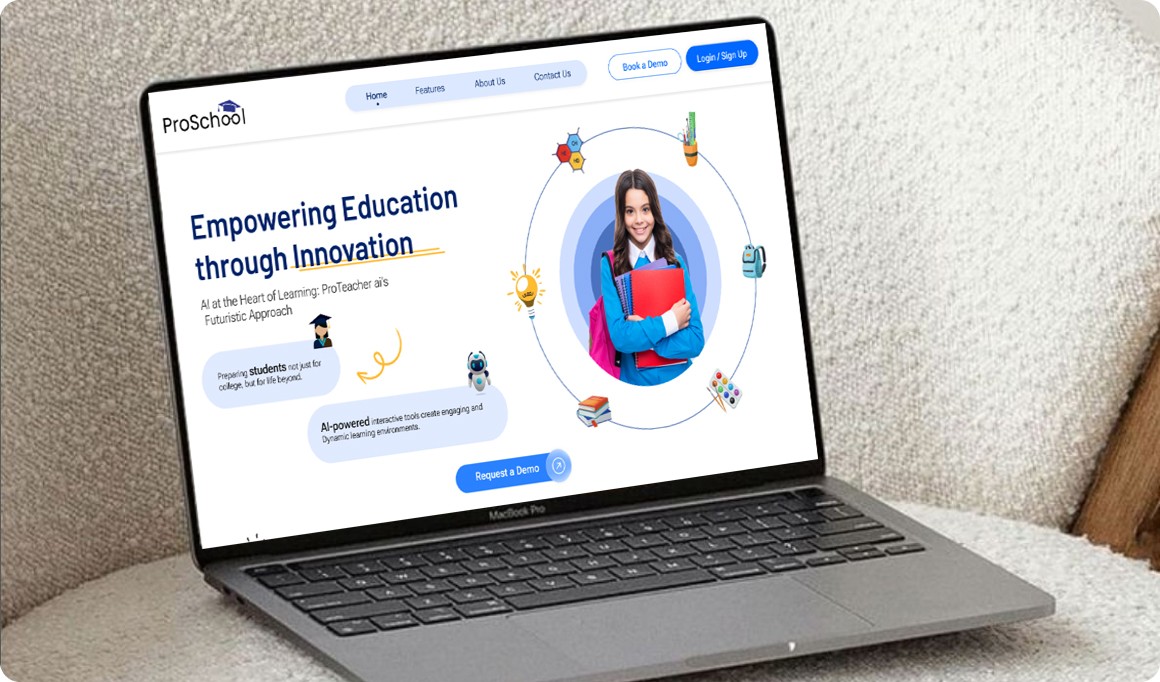
ProSchool.ai is a platform designed to make teaching and learning easier and more personalized using AI tools. It helps teachers save time and gives students the extra support they need to succeed.
Problem Statement
Teachers face time constraints due to administrative tasks, and students lack personalized learning tools. Traditional platforms don't offer enough interactivity or AI-driven support.
Key issues include
Teachers struggle with time-consuming administrative tasks like grading and lesson planning.
Students often face difficulties in accessing personalized learning experiences tailored to their pace and learning style.
Educational platforms lack interactivity and dynamic engagement tools.
Target Audience
Educators, students, and institutions worldwide.
Problem Solution
For Teachers
Course Generator: Proschool.ai provides AI suggestions for course content, assignments, lesson plans, and activities based on curriculum standards, making lesson planning efficient and creative.
AI Assistant for Teachers: A built-in AI bot assists teachers by answering questions, offering teaching strategies, and providing quick solutions for class management.
Automated Grading: Simplifies evaluation by automatically grading assignments, quizzes, and tests, saving valuable time.
Performance Analytics: Offers a dashboard with real-time insights into student performance, identifying struggling students and enabling focused support.
For Students
Personalized Learning Paths: AI creates customized study plans tailored to each student's learning style, pace, and areas of improvement.
AI Study Buddy: Acts as a 24/7 assistant, answering questions, providing explanations, and keeping students motivated.
Design Process
Research
Define
Prototype
Iteration
Test
Design Solutions
Version 1
Challenges Encountered
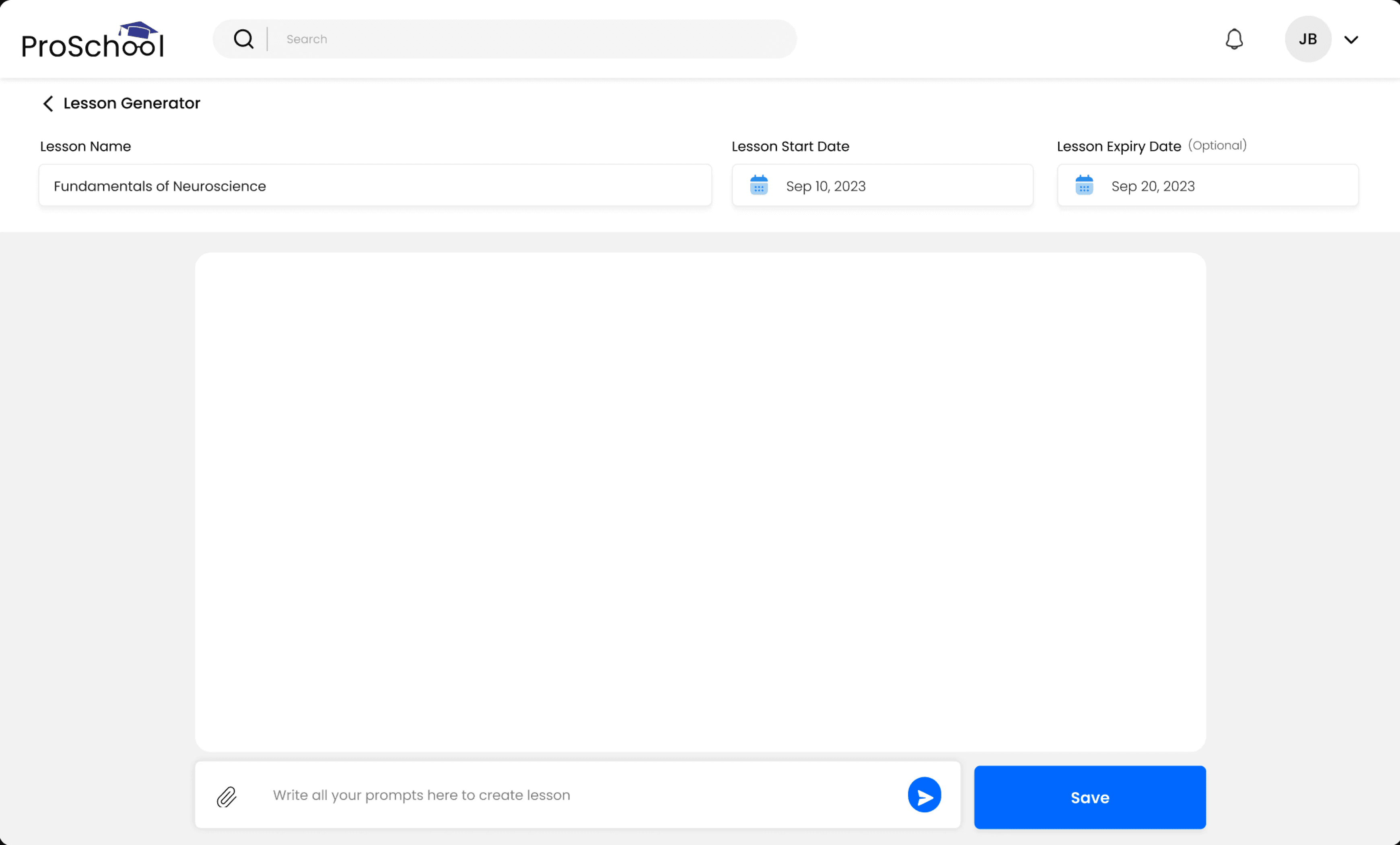
Lack of Essential Course Management Features: The initial workboard was too basic, lacking critical functionalities such as lesson assignment, rubric creation, and structured content management tools. This limited educators’ ability to organize their curriculum and restricted overall platform usability.
No Dedicated Workboard Section: Educators were forced to rely solely on the chatbot for all tasks, which created an unstructured workspace. Without a dedicated workboard, users felt disorganized and found it difficult to manage their content effectively.
Uncertainty in Content Saving: Many educators expressed frustration over the lack of clarity around content saving. Due to insufficient feedback, users were unsure if their work was saved, leading to repeated checks and unnecessary time spent verifying content storage.
Poor Content Organization within the Chatbot: Content would often become lost or buried within the chatbot interface. Educators had to scroll through chat history to locate completed lessons or assignments, leading to confusion and inefficiency in content retrieval.
Lack of Visibility and Control Over Finalized Content: Once content was finalized, educators had little control over its organization. The inability to clearly see which lessons were complete and which were in progress caused uncertainty about the status of their materials, making it difficult to track their teaching plans.
Version 2 (Final Design)
Proposed Solution
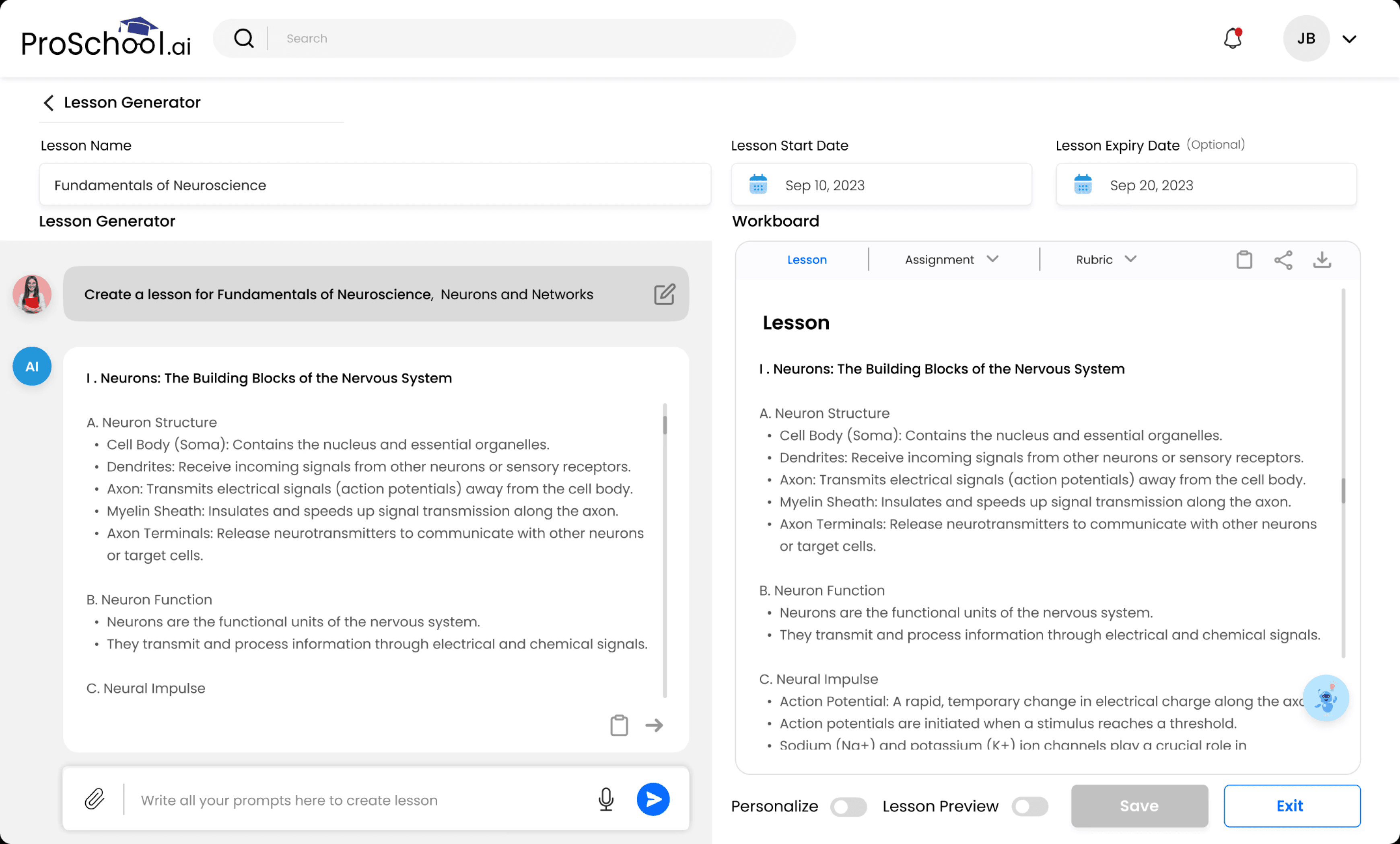
Dual-Sided Interface for Simplified Workflow: The left side has a chatbot where educators interact with AI to generate content, while the right side is a workboard where finalized content is saved and organized. This clear separation keeps created and finalized materials distinct, making content easy to manage and review.
Structured Workboard with Dedicated Sections: The workboard is divided into Lesson, Assignment, and Rubric sections, each with its own saved content. Educators can easily switch between sections to review or edit specific materials, keeping everything organized and accessible.
Efficient Content Transfer and Saving: Educators can transfer AI-generated content from the chatbot to the workboard for finalization. A Save button securely stores the content, ensuring that educators have easy access to their work without worrying about its loss.
Smart Toggles for Personalization and Lesson Preview: The platform personalizes content tailored to the students’ interests, based on their profile settings. The Lesson Preview toggle allows students to view the lessons before committing to an assignment, enabling features like open-book tests for more flexible learning experiences.
Results
Teachers reported a 30% reduction in time spent on grading and administrative tasks.
Students showed a 40% improvement in engagement and a noticeable increase in academic performance.
Conclusion
ProSchool.ai successfully bridges the gap between traditional education methods and modern technology. By focusing on AI-driven personalization and automation, the platform enhances learning experiences for students while empowering educators to focus on what they do best: teaching.
Let’s Connect
Send an email - arpitadas.ad20@gmail.com